Websiteredesign:priceandhowtokeepyourSEOWebsite redesign: price and how to keep your SEO
Website redesign: what it really costs, the steps, and the method to keep your Google rankings, with the example of the ordas.fr redesign.Websiteredesign:redesign:whatitreallycosts,costs,thesteps,andthethemethodtokeepyouryourGooglerankings,withthetheexampleoftheordas.frordas.frredesign.
By Pablo Ordas | Published | 8 min read
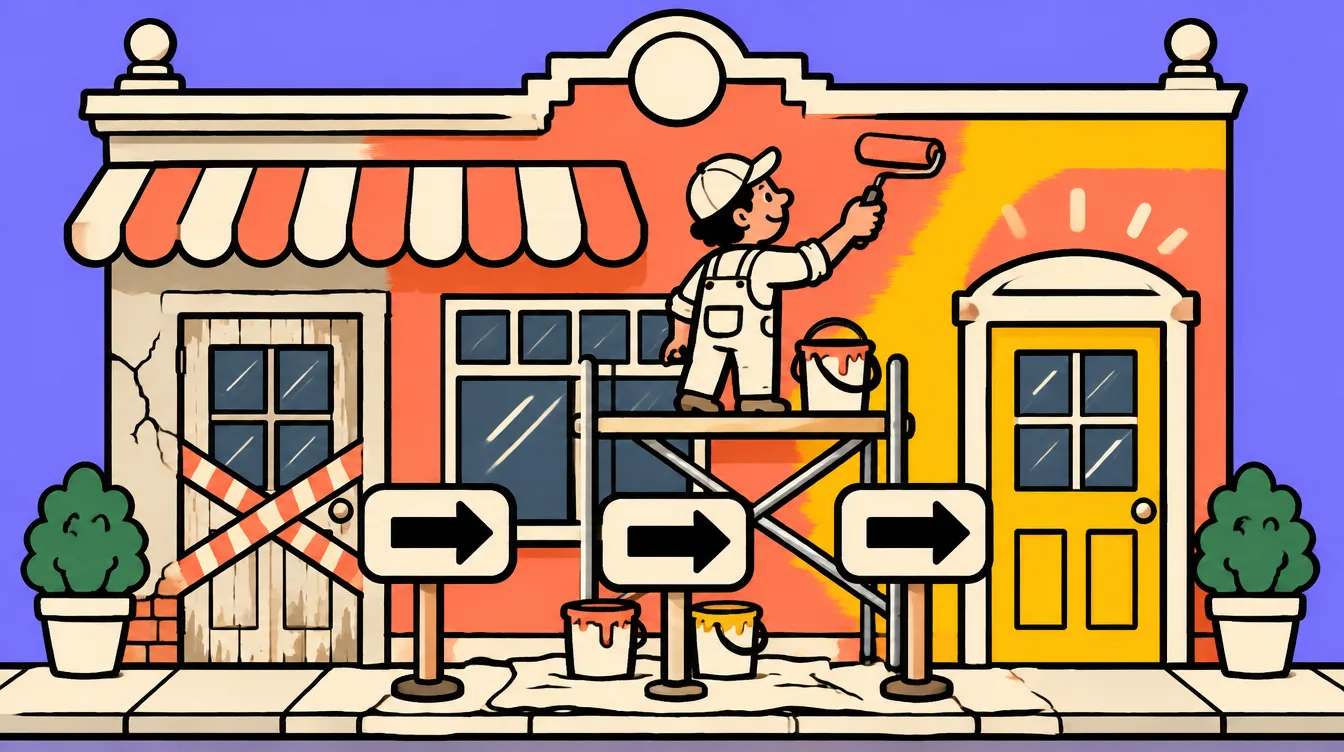
A website redesign means rebuilding a site that already exists: new design, new structure, sometimes new technology. For a small business it usually costs the price of a new site, and its biggest risk is losing the visits Google used to send to the old site. That risk is manageable with a simple method, which I applied to my own site.A*websitredesign**redesign**meansrebuildingasitesitethatalreadyexists:newnewdesign,newstructure,sometimessometimesnewtechnology.Foraasmallbusinessitusuallyusuallycoststhepriceofofanewsite,andanditsbiggestriskisislosingthevisitsGoogleGoogleusedtosendtototheoldsite.ThatThatriskismanageablewithwithasimplemethod,whichwhichIappliedtomymyownsite.
I'm Pablo, I build and rebuild websites for tradespeople and small businesses from the Ain, France. In October 2026 I rebuilt ordas.fr from scratch: from a WordPress site to a custom-coded site, with new URLs for almost every page. Everything below comes from that project and from my clients' projects.I'mPablo,Pablo,IbuildandrebuildrebuildwebsitesfortradespeopleandandsmallbusinessesfromthetheAin,France.InOctoberOctober2026Irebuiltordas.frordas.frfromscratch:fromaaWordPresssitetoaacustom-codedsite,withwithnewURLsforalmostalmosteverypage.Everythingbelowbelowcomesfromthatprojectprojectandfrommyclients'clients'projects.
Whatisawebsiteredesign?What is a website redesign?
A redesign rebuilds an existing site instead of creating one from scratch. You keep the domain name, often the content that works, and change what holds you back: a dated design, a slow or unreadable mobile site, a structure where nobody finds anything, a tool nobody knows how to edit anymore.Aredesignredesignrebuildsanexistingsitesiteinsteadofcreatingoneonefromscratch.Youkeepkeepthedomainname,oftenoftenthecontentthatworks,works,andchangewhatholdsholdsyouback:adateddateddesign,aslowororunreadablemobilesite,aastructurewherenobodyfindsfindsanything,atoolnobodynobodyknowshowtoediteditanymore.
There are three levels, and both the price and the SEO risk depend mostly on which one you choose:Therearearethreelevels,andbothboththepriceandthetheSEOriskdependmostlymostlyonwhichoneyouyouchoose:
Visual redesign: new design, same pages, same URLs. The cheapest and almost risk-free for search.Visualredesignredesign:newdesign,samesamepages,sameURLs.TheThecheapestandalmostrisk-freerisk-freeforsearch.
Structural redesign: pages are merged, split or renamed. URLs change, redirects are needed.Structuralredesignredesign:pagesaremerged,merged,splitorrenamed.URLsURLschange,redirectsareneeded.needed.
Technical redesign: you change tools (for example from Wix to WordPress, or WordPress to a coded site). Everything changes, and that's where SEO is most often lost.Technicalredesignredesign:youchangetoolstools(forexamplefromWixWixtoWordPress,orWordPressWordPresstoacodedsite).site).Everythingchanges,andthat'sthat'swhereSEOismostmostoftenlost.
Whenshouldyouredesignyourwebsite?When should you redesign your website?
Redesign when your site costs you customers: it displays badly on phones, takes several seconds to load, you no longer dare give out the address, or nobody contacts you through it. A site that's a few years old but does its job gets updated, not rebuilt.Redesignwhenwhenyoursitecostsyouyoucustomers:itdisplaysbadlybadlyonphones,takesseveralseveralsecondstoload,youyounolongerdaregivegiveouttheaddress,orornobodycontactsyouthroughthroughit.Asitethat'sthat'safewyearsoldoldbutdoesitsjobjobgetsupdated,notrebuilt.rebuilt.
The signs I see most often with small businesses:ThesignssignsIseemostoftenoftenwithsmallbusinesses:
The site isn't readable on a phone (tiny text, buttons too small).Thesitesiteisn'treadableonaaphone(tinytext,buttonsbuttonstoosmall).
Services or opening hours are out of date, because editing the site is too complicated.Servicesororopeninghoursareoutoutofdate,becauseeditingeditingthesiteistootoocomplicated.
No quote request has come from the site in months.Noquotequoterequesthascomefromfromthesiteinmonths.months.
The site was built by someone who can't be reached, and nobody has the logins.Thesitesitewasbuiltbysomeonesomeonewhocan'tbereached,reached,andnobodyhasthethelogins.
A single page presents every service, so Google shows you for none of them.Asinglesinglepagepresentseveryservice,service,soGoogleshowsyouyoufornoneofthem.them.
If you're torn between rebuilding and fixing, first look at what works: pages already getting visits in Search Console, wording your customers quote back. A redesign that throws away what works is a bad redesign.Ifyou'reyou'retornbetweenrebuildingandandfixing,firstlookatatwhatworks:pagesalreadyalreadygettingvisitsinSearchSearchConsole,wordingyourcustomerscustomersquoteback.Aredesignredesignthatthrowsawaywhatwhatworksisabadbadredesign.
Howmuchdoesawebsiteredesigncost?How much does a website redesign cost?
A redesign ranges from a few hundred euros for a simple design change to over €10,000 for a large site rebuilt by an agency. For a small business showcase site rebuilt by a freelancer, the usual range is €1,000 to €3,000, roughly the price of a new site.Aredesignredesignrangesfromafewfewhundredeurosforaasimpledesignchangetotoover€10,000foraalargesiterebuiltbybyanagency.Foraasmallbusinessshowcasesitesiterebuiltbyafreelancer,freelancer,theusualrangeisis€1,000to€3,000,roughlyroughlythepriceofaanewsite.
Ranges published online (French market), with their source:Rangespublishedpublishedonline(Frenchmarket),withwiththeirsource:
Simple redesign (design, usability, content) of a WordPress site: €500 to €1,500 (Studio Gazoline, page viewed on 10 November 2026).Simpleredesignredesign(design,usability,content)ofofaWordPresssite:€500€500to€1,500(StudioGazoline,Gazoline,pageviewedon1010November2026).
Showcase site redesign: €1,500 to €10,000 in most cases (MonDevis, July 2025).Showcasesitesiteredesign:€1,500to€10,000€10,000inmostcases(MonDevis,(MonDevis,July2025).
Median budget of €10,000 across 478 redesigns handled by the platform (La Fabrique du Net, July 2026). This figure mostly covers agency projects and companies larger than small businesses.Medianbudgetbudgetof€10,000across478478redesignshandledbythetheplatform(LaFabriqueduduNet,July2026).ThisThisfiguremostlycoversagencyagencyprojectsandcompanieslargerlargerthansmallbusinesses.
With me, a redesign costs the price of the WordPress package that matches the new site: from €1,050 for 5 pages to €2,950 for a larger site, with payment in instalments possible. I keep what's good in the old site, and redirects for the old URLs are included. Package details are on the WordPress website page.Withme,me,aredesigncoststhethepriceoftheWordPressWordPresspackagethatmatchesthethenewsite:from€1,050€1,050for5pagestoto€2,950foralargerlargersite,withpaymentinininstalmentspossible.Ikeepkeepwhat'sgoodinthetheoldsite,andredirectsredirectsfortheoldURLsURLsareincluded.PackagedetailsdetailsareontheWordPress websitepage.
WhatpushesthepriceupordownWhat pushes the price up or down
The number of pages to rebuild, and whether new ones must be written. If you don't know how many you need, I explain how to count in how many pages for a business website.Thenumbernumberofpagestorebuild,rebuild,andwhethernewonesonesmustbewritten.IfIfyoudon'tknowhowhowmanyyouneed,IIexplainhowtocountcountinhow many pages for a business website.
Changing tools: switching technology means rebuilding everything and moving every piece of content.Changingtoolstools:switchingtechnologymeansmeansrebuildingeverythingandmovingmovingeverypieceofcontent.content.
Content: ready-made text and photos cost less than content that has to be written.Content::ready-madetextandphotosphotoscostlessthancontentcontentthathastobebewritten.
The number of old URLs: a site with 300 posts needs far more redirects than a 6-page site.ThenumbernumberofoldURLs::asitewith300300postsneedsfarmoremoreredirectsthana6-page6-pagesite.
When comparing redesign quotes, check that each one states in black and white what happens to the old URLs. A quote that says nothing about redirects may cost you your rankings. I explain what to check in how to read a website quote.Whencomparingcomparingredesignquotes,checkthatthateachonestatesininblackandwhitewhatwhathappenstotheoldoldURLs.Aquotethatthatsaysnothingaboutredirectsredirectsmaycostyouyouryourrankings.Iexplainwhatwhattocheckinhow to read a website quote.
WhyaredesignlosessearchrankingsWhy a redesign loses search rankings
A redesign loses rankings when Google can no longer find the pages it knew. Each page of the old site has a URL, and that URL is what Google ranks. If it disappears without a redirect, Google hits a 404 error, and the ranking the page had earned disappears with it.AredesignredesignlosesrankingswhenGoogleGooglecannolongerfindfindthepagesitknew.knew.EachpageofthetheoldsitehasaaURL,andthatURLURLiswhatGoogleranks.ranks.Ifitdisappearswithoutwithoutaredirect,Googlehitshitsa404error,andandtherankingthepagepagehadearneddisappearswithwithit.
The four causes I find almost every time:ThefourfourcausesIfindalmostalmosteverytime:
URLs changed without redirects, often because the new tool generates its own URLs.URLschangedchangedwithoutredirects,oftenoftenbecausethenewtooltoolgeneratesitsownURLs.URLs.
Redirects to the wrong page, for example sending everything to the home page. Google often treats that as a missing page.Redirectstotothewrongpage,,forexamplesendingeverythingeverythingtothehomepage.page.Googleoftentreatsthatthatasamissingpage.page.
Deleted text: the new page looks better, but no longer contains the words people searched for.Deletedtexttext:thenewpagepagelooksbetter,butnonolongercontainsthewordswordspeoplesearchedfor.
A staging site left blocked: the "discourage search engines" box or a staging robots.txt pushed live as is.Astagingstagingsiteleftblocked::the"discouragesearchengines"engines"boxorastagingstagingrobots.txtpushedliveasasis.
HowtokeepyourSEOduringaredesign:the7-stepmethodHow to keep your SEO during a redesign: the 7-step method
To keep your SEO during a redesign, list every old URL before touching the site, decide for each one which new page covers the same topic, set a 301 redirect page by page, then watch Search Console for several weeks. Here are the seven steps in the order I do them.TokeepkeepyourSEOduringaaredesign,listeveryoldoldURLbeforetouchingthethesite,decideforeacheachonewhichnewpagepagecoversthesametopic,topic,seta301redirectredirectpagebypage,thenthenwatchSearchConsoleforforseveralweeks.HerearearethesevenstepsinintheorderIdodothem.
1.InventorytheoldURLs1. Inventory the old URLs
First, list every URL Google knows. Three sources complement each other: the old site's sitemap, the "Pages" report in Search Console, and the export of pages that got clicks or impressions in recent months. For ordas.fr, Search Console gave me the real list, including old pages I had forgotten.First,listlisteveryURLGoogleknows.knows.Threesourcescomplementeacheachother:theoldsite'ssite'ssitemap,the"Pages"reportreportinSearchConsole,andandtheexportofpagespagesthatgotclicksororimpressionsinrecentmonths.months.Forordas.fr,SearchConsoleConsolegavemetherealreallist,includingoldpagespagesIhadforgotten.
2.Notewhateachpagebringsin2. Note what each page brings in
Next to each URL, note its clicks, impressions and the searches that bring it traffic. That's your "before" snapshot. It tells you which pages must not break, and lets you compare after launch. Keep a copy of the text of pages that work: they're what ranks, not the design.NexttotoeachURL,noteitsitsclicks,impressionsandthethesearchesthatbringitittraffic.That'syour"before""before"snapshot.Ittellsyouyouwhichpagesmustnotnotbreak,andletsyouyoucompareafterlaunch.KeepKeepacopyofthethetextofpagesthatthatwork:they'rewhatranks,ranks,notthedesign.
3.KeepURLswhenyoucan3. Keep URLs when you can
The best redirect is the one you don't need. If a page keeps the same topic, keep the same URL. Only rename a URL if the old one is truly bad (unreadable, dated, or no longer describing the page).Thebestbestredirectistheoneoneyoudon'tneed.IfIfapagekeepsthethesametopic,keepthethesameURL.OnlyrenamerenameaURLifthetheoldoneistrulytrulybad(unreadable,dated,orornolongerdescribingthethepage).
4.RedirecteacholdURLtothepageonthesametopic4. Redirect each old URL to the page on the same topic
Every changed URL gets a 301 (permanent) redirect to the new page covering exactly the same topic. Not the home page, not a page "roughly close". An old page about website prices goes to the new price page, an old local SEO page goes to the new local SEO article.EverychangedchangedURLgetsa301301(permanent)redirecttothethenewpagecoveringexactlyexactlythesametopic.NotNotthehomepage,notnotapage"roughlyclose".close".Anoldpageaboutaboutwebsitepricesgoestotothenewpricepage,page,anoldlocalSEOSEOpagegoestothethenewlocalSEOarticle.article.
5.Carryoverthetagsandtextthatwork5. Carry over the tags and text that work
For pages that get visits, keep the title tag, the headings and the passages that answer searches. You can improve the layout, add proof and examples, but don't remove the words your visitors type.Forpagespagesthatgetvisits,keepkeepthetitletag,thetheheadingsandthepassagespassagesthatanswersearches.YouYoucanimprovethelayout,layout,addproofandexamples,examples,butdon'tremovethethewordsyourvisitorstype.type.
6.Checkeverythingbeforeopeningthedoors6. Check everything before opening the doors
Before launch: the site must be indexable, every old URL tested one by one, no broken internal links, a new sitemap ready. My full list is in the technical SEO checklist before launch.Beforelaunch:launch:thesitemustbebeindexable,everyoldURLURLtestedonebyone,one,nobrokeninternallinks,links,anewsitemapready.ready.Myfulllistisisinthetechnical SEO checklist before launch..
7.WatchSearchConsolefor3months7. Watch Search Console for 3 months
On launch day, submit the new sitemap in Search Console. Then each week, check 404 errors, "discovered, not indexed" pages, and compare clicks and impressions with your "before" snapshot. A dip of a few weeks is normal while Google rereads the site. A page that hasn't come back after a month deserves a look at its redirect.Onlaunchlaunchday,submitthenewnewsitemapinSearchConsole.Console.Theneachweek,checkcheck404errors,"discovered,notnotindexed"pages,andcomparecompareclicksandimpressionswithwithyour"before"snapshot.AAdipofafewfewweeksisnormalwhilewhileGooglerereadsthesite.site.Apagethathasn'thasn'tcomebackafteraamonthdeservesalooklookatitsredirect.
WhatIdidonordas.fr(andthemistakeIfixed)What I did on ordas.fr (and the mistake I fixed)
In October 2026 I replaced Ordas's old WordPress site with a site coded in Next.js. Almost every URL changed: old posts had dates in their URLs, city and service pages followed another logic. So I applied the method above to my own site.InOctoberOctober2026IreplacedOrdas'sOrdas'soldWordPresssitewithwithasitecodedininNext.js.AlmosteveryURLURLchanged:oldpostshadhaddatesintheirURLs,URLs,cityandservicepagespagesfollowedanotherlogic.SoSoIappliedthemethodmethodabovetomyownownsite.
Inventory: the list of pages known to Google, taken from Search Console rather than from memory.Inventory::thelistofpagespagesknowntoGoogle,takentakenfromSearchConsoleratherratherthanfrommemory.
About 70 redirect rules for the old URLs, including rules that catch a whole family of URLs at once (all the old "website design + city" pages, for example).About7070redirectrulesforthetheoldURLs,includingrulesrulesthatcatchawholewholefamilyofURLsatatonce(alltheoldold"websitedesign++city"pages,forexample).example).
A full audit on 3 November 2026: every URL in the new sitemap and every redirect tested.Afullfullauditon3NovemberNovember2026:everyURLURLinthenewsitemapsitemapandeveryredirecttested.tested.
And the mistake: in the rush of launch, several old pages were redirected to a neighbouring page instead of the page on the same topic. Old pricing pages pointed to a service page, and old posts to a general page. Technically, no 404. For Google, though, the page ranking for "website price" was no longer the same page. I spotted it going back over the redirects one by one, and on 9 November 2026 every old pricing page was pointed to the showcase website price article, and every old post to the new post on the same topic.Andthethemistake:intherushrushoflaunch,severaloldoldpageswereredirectedtotoaneighbouringpageinsteadinsteadofthepageononthesametopic.OldOldpricingpagespointedtotoaservicepage,andandoldpoststoaageneralpage.Technically,nono404.ForGoogle,though,though,thepagerankingforfor"websiteprice"waswasnolongerthesamesamepage.Ispottedititgoingbackoverthetheredirectsonebyone,one,andon9NovemberNovember2026everyoldpricingpricingpagewaspointedtototheshowcase website price article,andandeveryoldposttotothenewpostononthesametopic.
The lesson: a redirect that breaks nothing isn't necessarily a good redirect. For each old URL, ask whether the new page answers the same search.Thelesson:lesson:aredirectthatbreaksbreaksnothingisn'tnecessarilyaagoodredirect.ForeacheacholdURL,askwhetherwhetherthenewpageanswersanswersthesamesearch.
Howtochangeanexistingwebsitewithoutrebuildingit?How to change an existing website without rebuilding it?
You can change an existing site without rebuilding it when its foundation is sound: update text and photos, add one page per service, improve speed, fix the mobile layout. On WordPress you can make many of these changes yourself from the admin, without touching URLs, so without SEO risk.Youcancanchangeanexistingsitesitewithoutrebuildingitwhenwhenitsfoundationissound:sound:updatetextandphotos,photos,addonepageperperservice,improvespeed,fixfixthemobilelayout.OnOnWordPressyoucanmakemakemanyofthesechangeschangesyourselffromtheadmin,admin,withouttouchingURLs,sosowithoutSEOrisk.
It's often the best option when the site is under five years old and runs on a tool you can extend. If you're on a website builder and wondering whether to switch, I compared both options in WordPress or Wix.It'softenoftenthebestoptionwhenwhenthesiteisunderunderfiveyearsoldandandrunsonatooltoolyoucanextend.IfIfyou'reonawebsitewebsitebuilderandwonderingwhetherwhethertoswitch,IcomparedcomparedbothoptionsinWordPress or Wix.
Howlongdoesaredesigntake?How long does a redesign take?
For a small business showcase site, a redesign usually takes a few weeks, depending on the number of pages and how fast content arrives. With me, the design is presented within a week of the deposit. The longest part is rarely the code: it's the text, the photos and the approvals.Foraasmallbusinessshowcasesite,site,aredesignusuallytakestakesafewweeks,dependingdependingonthenumberofofpagesandhowfastfastcontentarrives.Withme,me,thedesignispresentedpresentedwithinaweekofofthedeposit.Thelongestlongestpartisrarelythethecode:it'sthetext,text,thephotosandthetheapprovals.
The steps, in order: audit of the existing site and URL inventory, goals and site structure, mockup, content, build, redirects and checks, launch, then follow-up. For the structure of real sites, see my showcase website examples.Thesteps,steps,inorder:auditofoftheexistingsiteandandURLinventory,goalsandandsitestructure,mockup,content,content,build,redirectsandchecks,checks,launch,thenfollow-up.ForForthestructureofrealrealsites,seemyshowcase website examples.
Howmuchdoesawebsiteredesigncost?How much does a website redesign cost?
From a few hundred euros for a new design only to over €10,000 for a large agency site. For a small business showcase site rebuilt by a freelancer, count €1,000 to €3,000. With me, €1,050 to €2,950, redirects included.Fromaafewhundredeurosforforanewdesignonlyonlytoover€10,000forforalargeagencysite.site.Forasmallbusinessbusinessshowcasesiterebuiltbybyafreelancer,count€1,000€1,000to€3,000.Withme,me,€1,050to€2,950,redirectsredirectsincluded.
Whatisawebsiteredesign?What is a website redesign?
Rebuilding an existing site: new design, new structure or new technology, keeping the domain name and the content that works.Rebuildingananexistingsite:newdesign,design,newstructureornewnewtechnology,keepingthedomaindomainnameandthecontentcontentthatworks.
Doesaredesignlosesearchrankings?Does a redesign lose search rankings?
Not if every old URL is 301-redirected to the page on the same topic and the ranking text is kept. A dip of a few weeks is normal while Google rereads the site.NotififeveryoldURLisis301-redirectedtothepagepageonthesametopictopicandtherankingtexttextiskept.AdipdipofafewweeksweeksisnormalwhileGoogleGooglerereadsthesite.
HowdoyoukeepyourSEOduringaredesign?How do you keep your SEO during a redesign?
Inventory the old URLs, snapshot clicks before, keep URLs when possible, 301 redirects page by page to the same topic, carry over text and tags, check before launch, then follow Search Console for 3 months.InventorythetheoldURLs,snapshotclicksclicksbefore,keepURLswhenwhenpossible,301redirectspagepagebypagetothethesametopic,carryoverovertextandtags,checkcheckbeforelaunch,thenfollowfollowSearchConsolefor33months.
Howdoyouchangeanexistingwebsite?How do you change an existing website?
If the foundation is sound, without rebuilding: text, photos, new pages, speed, mobile layout. On WordPress much of it is done from the admin, without touching URLs.Ifthethefoundationissound,withoutwithoutrebuilding:text,photos,newnewpages,speed,mobilelayout.layout.OnWordPressmuchofofitisdonefromfromtheadmin,withouttouchingtouchingURLs.
Howlongdoesawebsiteredesigntake?How long does a website redesign take?
A few weeks for a small business showcase site. The design is presented within a week of the deposit; the rest depends mostly on content and approvals.Afewfewweeksforasmallsmallbusinessshowcasesite.TheThedesignispresentedwithinwithinaweekofthethedeposit;therestdependsdependsmostlyoncontentandandapprovals.
Shouldoldpagesredirecttothehomepage?Should old pages redirect to the home page?
No. Each old page should go to the new page covering the same topic. Sending everything to the home page often amounts, for Google, to deleting the pages.No.EachEacholdpageshouldgogotothenewpagepagecoveringthesametopic.topic.Sendingeverythingtothethehomepageoftenamounts,amounts,forGoogle,todeletingdeletingthepages.
Tell me about it in a few lines. I'll get back to you, and you'll have a price from our first conversation.Tellmemeaboutitinaafewlines.I'llgetgetbacktoyou,andandyou'llhaveapricepricefromourfirstconversation.conversation.